.svg)
Anonymous Surveys: Why Employees Still Hold Back


Picture a meeting where culture survey results are being shared. The team leader is reading through the open-ended comments and stops to ask, “Who wrote this one?” Even if the survey never collected names, people in that room may feel their answers could be traced back to them.
HR can explain that the survey settings didn’t collect names. But settings aren’t all employees care about. They want to know who reads what they wrote, what other information it’s viewed alongside, and what their team leader will ask once the results arrive. A promise to protect respondents has to hold not just when responses are collected, but when results are shared and in the conversations that follow.
Explain What “Anonymous” Actually Means
Before a survey launches, check whether anything that can identify a person is linked to the responses. Even without asking for names, responses can be tied to email addresses, personal survey links, or employee IDs. What gets stored depends on the tool you use and how you distribute the survey.
Qualtrics’ official guide to survey security options also distinguishes anonymous links from individual links and describes separate settings for handling identifying information in responses. That’s why you should check the actual collection settings and the admin view, rather than assuming a link’s name guarantees anonymity.
It also helps to explain the difference between collecting responses so no one can be identified and letting a small group of administrators see individual data while everyone else gets aggregated results. If you run the second model but tell people “no one can know who responded,” a gap opens between the promise and the practice.
Give employees the information they need to judge for themselves. Spelling out who can see individual responses, what team leaders receive, and whether comments are passed along verbatim helps far more than a single line saying “This survey is anonymous.” And don’t present anything you haven’t decided yet as a guarantee.
Removing the Name Doesn’t Remove the Clues
On a small team, a person’s responsibilities or a recent event can be enough to guess who wrote a comment. An overseas launch only one person worked on, a conversation from a particular meeting, or an unusual work arrangement can all show up in open-ended feedback.
Take a hypothetical response: “Last month the overseas launch date moved, and I had to brief our local partner first.” There’s no name, but to anyone who knows that work, the clues may be more than enough. Deleting a name and making the writer hard to guess are not the same thing.
Strip out all the context, though, and the problem becomes hard to understand. Summarize it as “information sharing is poor,” and no one can tell what reached whom too late, or when. The edit you need reduces the details that point to a person while keeping the work situation that needs to change.

This example could be summarized as “feedback that the schedule change, and the information needed for the local response, reached the person responsible too late.” But the summary shouldn’t exaggerate the writer’s words or add conclusions that the responses didn’t reach. It’s also worth naming someone to check the edited version against the original.
Minimum Response Counts Are One Safeguard
Employee experience tools offer settings that show results only once a certain number of responses come in. In its official documentation, Qualtrics describes setting reporting thresholds for scores and comments, along with features that add protection when small groups or filter combinations could expose individual responses.
Gallup’s guidance on the confidentiality of individual responses likewise explains that reports show group results and restrict reporting for groups with few responses. It also notes that comments may be shared exactly as written. That’s why aggregated results and open-ended comments need to be reviewed separately.
Adopting a tool’s default number won’t make every organization safe. Even if team-wide results are built from enough responses, breaking them down again by level, tenure, or role can expose a small group. And a single comment can carry clues that point to a specific person regardless of headcount.
So when you set reporting rules, look at the number of responses, the breakdowns you’ll allow, how comments will be shared, and who will see the data, all together. Some of these can be set as numbers; others require someone to read the text and make a judgment call.

Decide Who Can See What Before You Send the Data
Your operating rules should also cover who can download files. Details that don’t appear on a dashboard can remain in an exported table or a raw file. If team leaders are only supposed to see aggregated results, check that an attached comments file doesn’t include anything beyond what they’re allowed to see.
Rather than having someone make a fresh call every time results are shared, it’s better to write down rules like these in advance:
- What data HR, analysts, executives, and team leaders can each see
- When to roll small teams up into a larger unit or hold back results
- Whether comments are shared verbatim or summarized by theme, and who reviews them
- Who decides on requests for additional data, and how much can be shared
With rules in place, you can apply the same principles even when the person in charge changes or a team leader asks for more detail. Compare what you told employees before the survey with what you actually share. If you change how things work, update what you tell people, too.
A Team Leader’s First Question Is Part of Protecting Respondents
Go back to the meeting at the start. Knowing who wrote the comment isn’t what makes it possible to improve how schedule changes are communicated. The team leader could ask instead, “When a schedule changes, what should we share first so the right people can respond in time?”
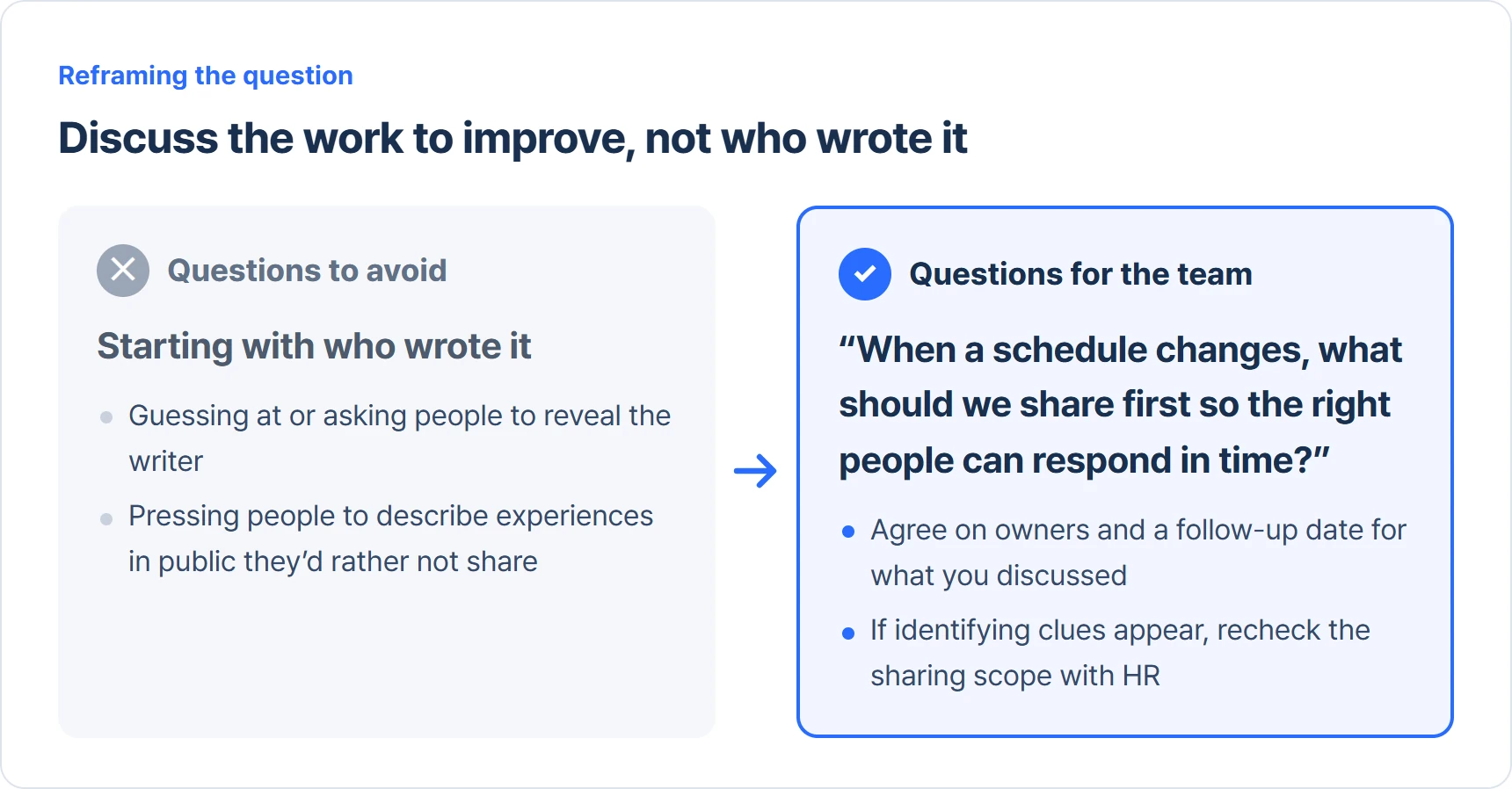
The conversation should focus on how to improve the work, not on finding the writer. Don’t push people to reveal who wrote what, or to explain in public experiences they’d rather not share. If you realize the shared data contains identifying clues, don’t keep speculating in the room. Check the sharing scope with HR instead.
When you send results to a team leader, include a short facilitation note with the data. Cover what can be shared, the principle of not searching for writers, and the questions the team should discuss. Capture owners and the next check-in date for what was discussed, but be careful not to create records that trace responses back to individuals along the way.
A survey asks employees to explain what’s wrong in the organization. They also watch what the company does with those explanations. If you asked for candid answers, keep your promise to protect respondents when the results are shared, too.
Once Responses Are Protected, Turn to What Needs to Change
Rules that protect respondents aren’t meant to stop you from interpreting results and acting on them. They’re about designing data and conversations so you can understand and fix recurring problems in the work without finding out who wrote what.
The next step is to look at what experiences led to a low score before turning it straight into an action plan. Our guide to interpreting culture survey results walks through reading scores, patterns, and context together.
Related Reading
- Culture Survey Results: Why “Communication Is the Problem” Changes Nothing
- Why Do Culture Survey Reports End Up in a Drawer?
References
- Qualtrics · Confidentiality Overview (EX) — reporting thresholds for results and comments, plus additional protections.
- Qualtrics · Security Survey Options — link types and settings for identifying information in responses.
- Gallup · Can I identify a specific employee’s survey responses? — group reporting and how comments are shared.
Related Articles


